Stop renting Loom, Calendly and DocuSign.

We built our own versions of all three for our agency and cancelled the subscriptions. Buy the source code once, run it on your own Cloudflare account and change anything you like.

See the apps

One payment. Every future update. Your data never touches our servers.

One person, one year

  • Loom Business, $216 a yearYarigai Recorder, $39 once
  • Calendly Standard, $144 a yearYarigai Scheduler, $39 once
  • DocuSign Personal, $180 a yearYarigai Docs, $39 once

$540 a year, every year$97 once for all three

List prices on monthly billing for one seat, checked October 2026. Annual billing costs less, and teams pay per seat.

No code to write. Setup takes about 15 minutes.

  1. Download the folder
  2. Open it in Claude and say "install this"
  3. Click Allow and paste two keys when Claude asks
See every step

Three apps we use every day

Each one started inside our own dashboard because we were tired of paying monthly for the basics. You get exactly what we run.

Replaces Loom

Yarigai Recorder

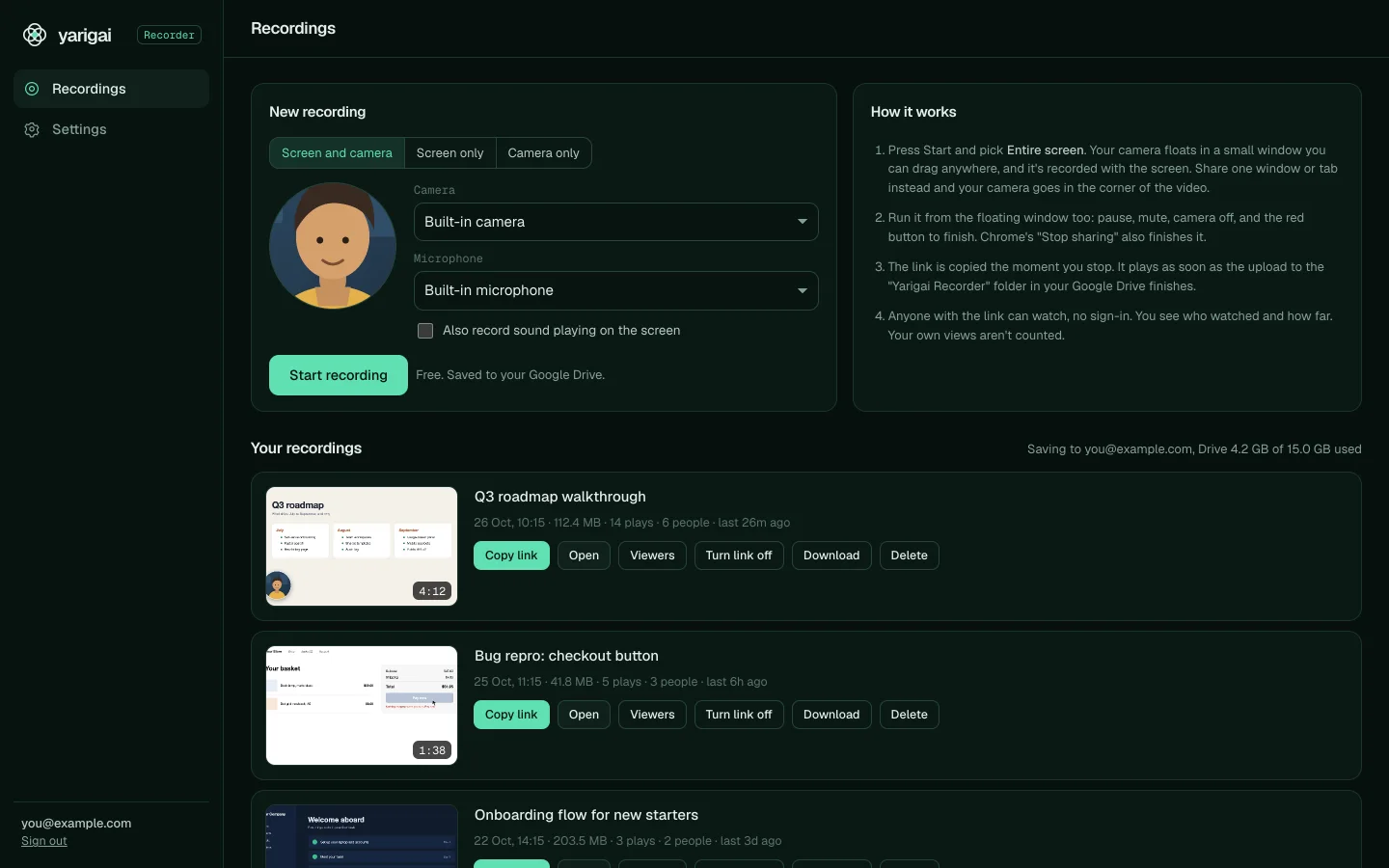
Record your screen, your camera or both, then paste a link that plays anywhere.

  • Screen and camera, screen only or camera only, with a three-second count-in
  • Your camera sits in a floating bubble you can drag anywhere on screen
  • The share link is on your clipboard the moment you stop recording
  • Share pages with previews in Slack and iMessage, playback speeds and instant seeking
  • See who watched: plays, unique viewers, how far they got, country and device
  • Videos save to your own Google Drive, so you never hit a recording limit

Runs on Cloudflare Pages and D1, plus your Google Drive for the videos. Cloudflare's free plan covers the vast majority of users.
Replaces Calendly

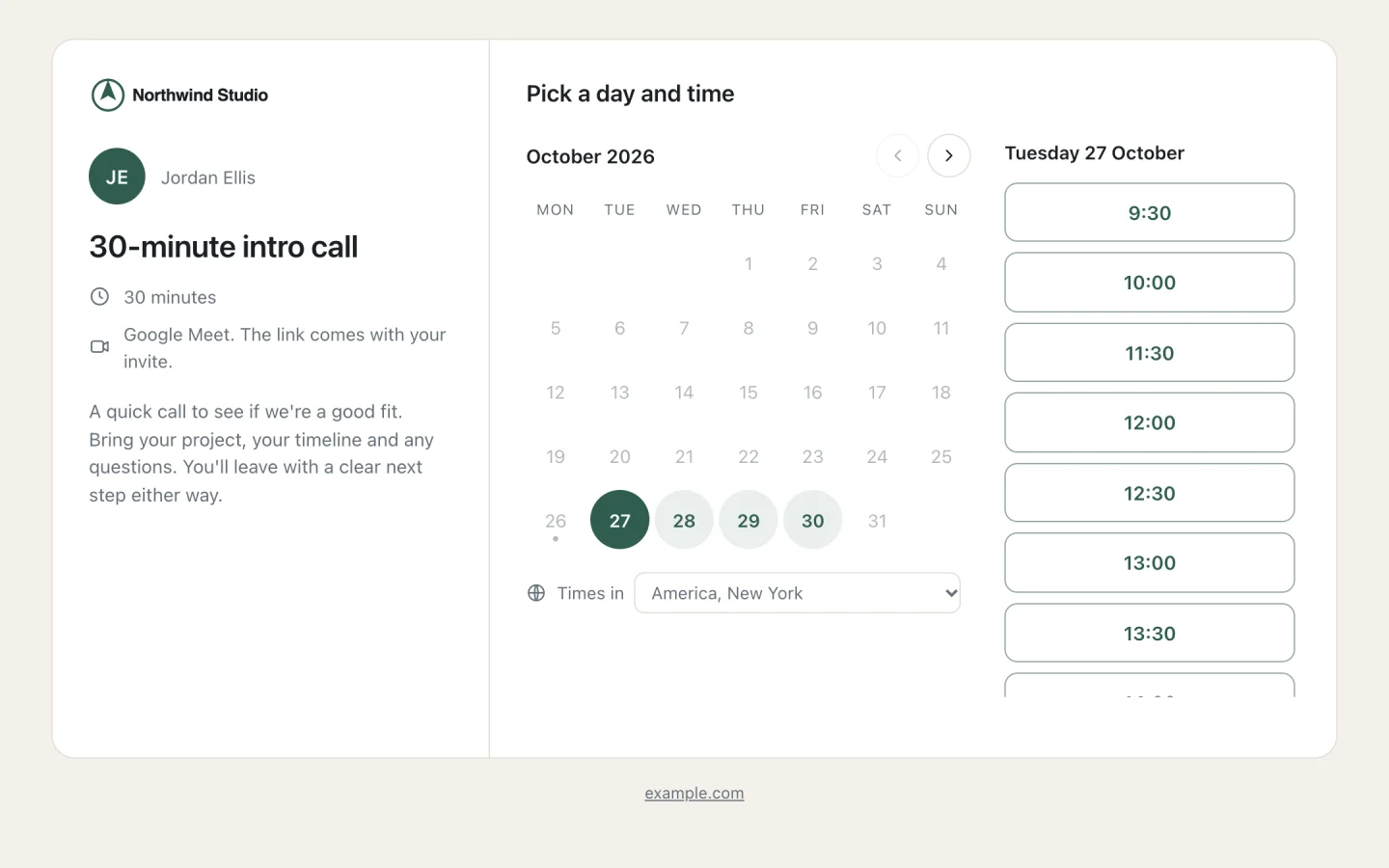
Yarigai Scheduler

Booking pages that check every calendar you have, take payment up front and record the call.

  • Booking pages for each of your brands, with their own logo, colours and questions
  • Checks free and busy times across all your Google calendars and iCloud
  • Paid calls through your own Stripe, with the slot held while they pay
  • A Google Meet link on every call, with recording and transcripts switched on
  • Confirmation emails and reminders 24 hours and 1 hour before, sent from your Gmail
  • Guests reschedule or cancel from their own link, and you see who started booking but didn't finish

Runs on Cloudflare Pages, D1 and a small timer, plus Google Calendar, Gmail and Meet. Cloudflare's free plan covers the vast majority of users.

Replaces DocuSign

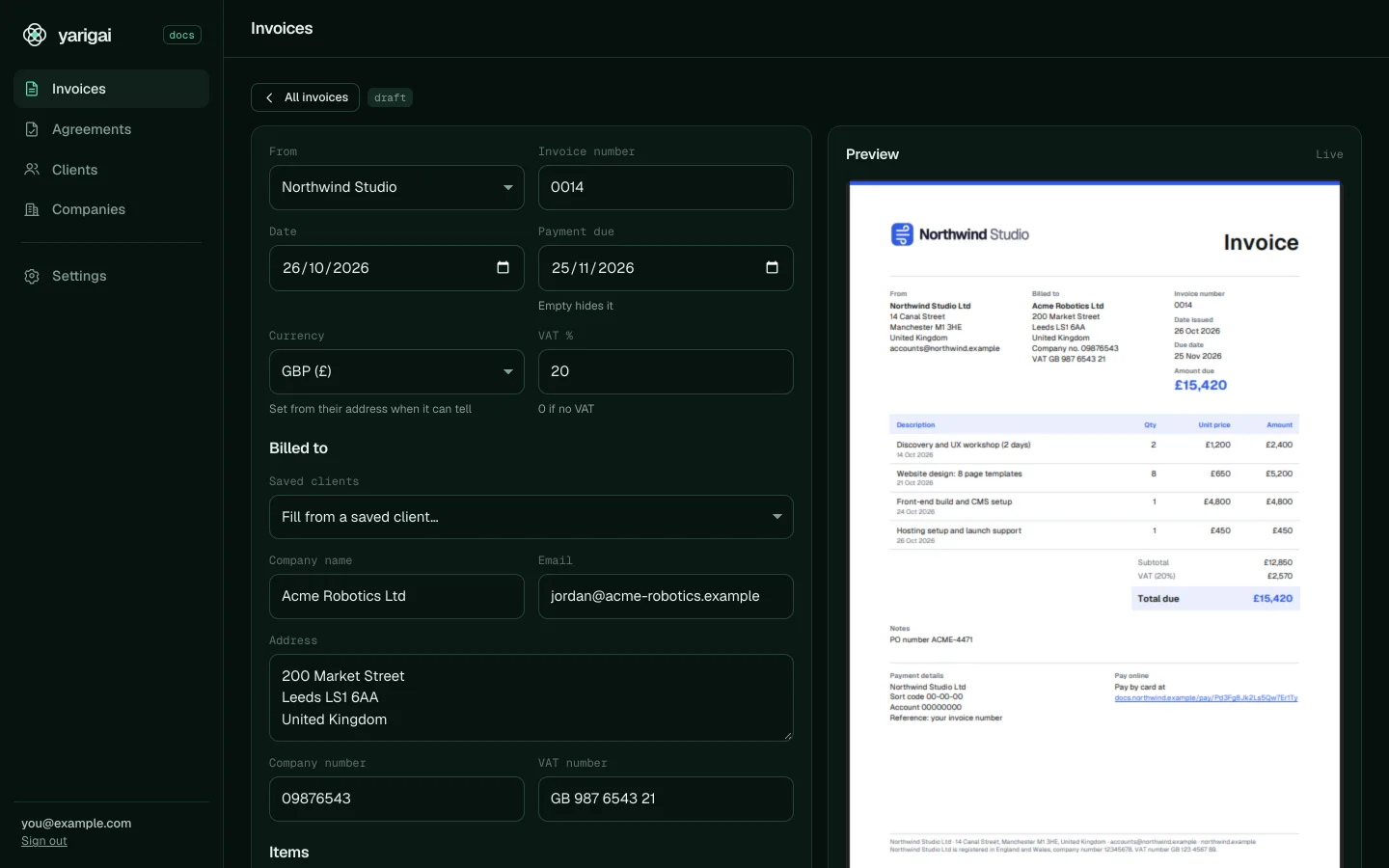
Yarigai Docs

Invoices and agreements that look designed, get signed online and get paid by card.

  • Invoices and agreements drawn as PDFs in your browser, with a live preview as you type
  • Send a signing link. Your client signs on their phone and both sides get the signed PDF
  • Each signature is recorded with who signed, when and a fingerprint of exactly what they signed
  • A pay-by-card link on every invoice through your own Stripe, marked paid when the money lands
  • Turn a signed agreement into deposit and completion invoices in one click
  • Several companies, numbering that never skips, and sent documents that can be voided but never deleted

Runs on Cloudflare Pages and D1, plus Gmail to send. Cloudflare's free plan covers the vast majority of users.

Live in about 15 minutes

You don't need to write code. You need a free Cloudflare account, a Google account, Node.js 20 or newer, and Claude on your computer. Every folder also has INSTALL.md if you'd rather do it by hand.

  1. Buy and download

    You get a download page that works for life, and the link by email. Each app is a folder with the full source code.

  2. Open the folder in Claude and say "install this"

    Claude runs the installer for you. A Cloudflare tab opens, you click Allow, and it creates the database and the site in your account.

  3. Make a Google sign-in key

    About five minutes in Google Cloud, once. Claude tells you each click and you paste two keys back.

  4. Sign in

    Your app is live at your own address, and only the emails you choose can sign in. Add your own domain whenever you like.

What Claude runs for you
$ npm run setup -- --emails [email protected]

Yarigai Recorder 1.0.0 installer

> Checking your Cloudflare sign-in
Using account Your Company

> Setting up the Cloudflare Pages project "yarigai-recorder"
Address: https://yarigai-recorder.pages.dev

> Setting up the database "yarigai-recorder"
> Creating database tables
> Saving keys to Cloudflare
> Deploying
Deployment complete!

Done. Yarigai Recorder is live at https://yarigai-recorder.pages.dev
Sign in with: [email protected]
The real installer. It finishes in about a minute. Most of the 15 minutes is the one-time Google step.

Pay once. Keep it.

No subscription, no seat limits and no price rises. When we improve an app, you get the new version from the same download page.

All three

$97

Recorder, Scheduler and Docs. Save $20.

  • The full source code of all three apps
  • Every future update of each, free
  • Runs on your own Cloudflare account
  • Use it for yourself or your whole company

Yarigai Recorder

$39

Replaces Loom.

Yarigai Scheduler

$39

Replaces Calendly.

Yarigai Docs

$39

Replaces DocuSign.

One-time payment in US dollars through Stripe. All sales are final because code can't be returned once downloaded, so ask us anything before you buy. Read the licence.

Questions

Anything else? Email [email protected].

Do I need to know how to code?

No. Claude reads the instructions in the folder and does the install for you. You click Allow in Cloudflare, click through about five minutes of Google Cloud with Claude telling you where, and paste two keys.

What does it cost to run?

Nothing for the vast majority of users. Each app runs on Cloudflare Pages and D1, and Cloudflare's free plan covers them. Recordings live in your Google Drive. Stripe charges its normal fees on payments you take. Google Meet recording needs a Google plan that records calls.

Where does my data live?

In your own Cloudflare and Google accounts. We never see your recordings, bookings, documents, keys or customers, and nothing runs on our servers.

Can I change it?

Yes, you get every line. Ask Claude to rename it, change the colours, add a field or build a new feature. It's your copy.

Is it open source?

You get the full source code and can change anything, but it isn't free to share. The licence lets you use it for yourself or one company. You can't resell it, publish it or run it as a service for other people.

Can I use it for my clients?

Yes, for work you do in your own accounts. If a client wants their own copy in their own accounts, buy them a licence.

How do updates work?

Your download page always has the latest version. Download it, copy it over your folder and tell Claude to update. Your data and settings stay put.

Can I get a refund?

All sales are final, because code can't be returned once you've downloaded it. If you get stuck installing, email [email protected] and we'll help until it runs.

Can you install it for me?

Yes. That's what our agency does. Tell us what you need and we'll install it, brand it and connect it to the tools you already use.

Own it once. Run it for free.

Recorder, Scheduler and Docs for $97, with every update after that.